BMW radios unlocked online — Business, Professional, Reverse and Bavaria units answered from the serial on the casing label.
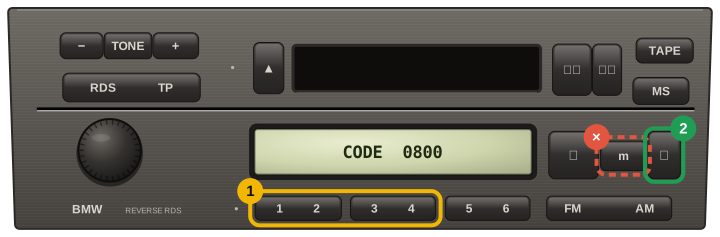
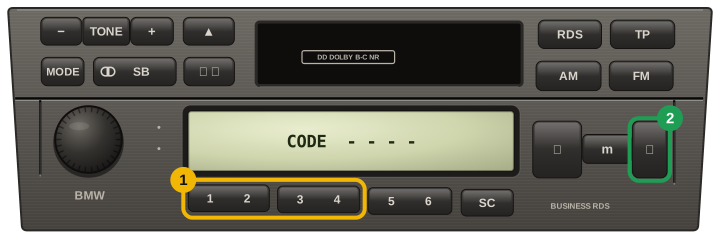
A BMW head unit that has lost power asks for its code on startup and never shows the serial, so the unit has to come forward out of the dash. Business and Professional units release with a pair of U-shaped keys; wide Bavaria units take four flat keys.
Nothing needs unplugging — pull the radio far enough forward to read the label on the top or side of the casing.
On the label, look for the 14-character string: PH7850S1101535 on a Philips unit, BP6262V7022261 on a Bosch one. Ignore the BMW part number (65.12-8 383 147 and similar) — that names the model, not your unit.
Straight answer about BMW codes. The two families are answered in two different ways: Bosch labels are calculated from the serial, and Philips labels are looked up in our database of 489,000 BMW unit codes. Both are free — emailed after a 24-hour wait, or straight away if you would rather not wait. Becker units (BE… model plus an 8-character serial) we work out free as well: no BMW owner has confirmed that rule yet, so a share unlocks the code and we ask you whether it worked.
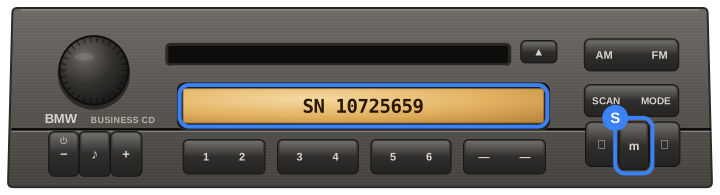
Business CD, Business RDS and Reverse units carry a PH7850 / PH7851 serial:
PH7850S1101535
Bosch-built units start with BP and are answered by calculation:
BP6262V7022261
Every card here is a code an owner told us worked, tied to an order we can check. Codes that did not work are not shown here, and a fee paid to skip the wait comes back automatically.
Read them allCode confirmed by the owner
Code confirmed by the owner