Toyota Alphard Radio Code

Every Toyota Alphard from 2002 to 2015: which radio was fitted, where its serial number hides, and what we can do with it.

Your code comes from the serial number of the radio, not from the car — so the first job is getting that number off the unit. The table below is your Alphard: the units fitted, and where the serial hides on each.

Already have the serial? Type it in and we will tell you straight away whether we can answer it.

All Toyota radio codes →

Free*
That does not look like a Toyota serial — check the table below for where to find it.
We never ask for the code you are missing — only the serial.

Which radio is in your Alphard?

GenerationRadios fittedSerial Where to read itWhat we do
AH10/AH20 JDM import
2002–2015
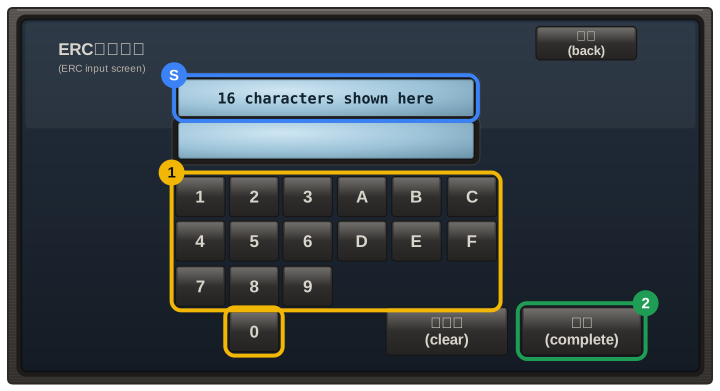
NHZN-W60G, NSZT-W62G, NSCP-W61 and other Japanese navigation units 16-digit ERC hold the main button and switch the parking lights on and off 3-4 times, then press the one active button Instant, free

Radio names are what is written on the fascia, not the name of the company that built the unit — a “6000 CD” or an “RCD 300” is what you see in the car. Unit fitment varies by market and trim, so treat the list as the usual case and let the serial decide: it is the serial that determines the code, not the model.

How to enter the code in your Alphard

  1. An ERC code is 8 characters and is typed on the touchscreen with the keys A–F and 1–9, then confirmed.
  2. On older button units the preset buttons 1–4 set the digits, and newer touchscreens ask for the code directly.
  3. Your code email includes the exact steps for your unit.

Careful: most units lock for good after about ten wrong attempts. If a code does not take, stop and email us before trying again.

Other Toyota models